

WordPress for Business Owners: What to Know in 2026
With the rise of shiny new website builders like Showit and Squarespace, many creatives and business owners are moving away from WordPress.
I think this is a shame, because I happen to believe WordPress is still one of the best options for new entrepreneurs who want to build a website.
WordPress still powers over 43% of the entire internet, so it’s definitely NOT dead.
But that doesn’t necessarily mean it’s the right choice for YOU. Just like Showit and Squarespace, WordPress has its pros and cons.
Let’s talk about it.
This post contains affiliate links, which means I earn a small commission if you click and make a purchase. It’s at no extra cost to you, and I *promise* I only ever link to products I actually use and love myself.
Why Business Owners Are Flocking to Showit and Squarespace
Both Showit and Squarespace feature easy-to-use builders (that don’t require you to know how to code) to put together a website, so the appeal is obvious.
For the sake of full transparency here: I haven’t actually used Showit myself, but I HAVE built a website on Squarespace.
Here’s a quick rundown of what you need to know about the two:
→ Showit has pretty much become THE platform for creatives who want complete control of the look and vibe of their site. This is because Showit literally lets you drag and drop elements wherever you want them on the page. It integrates directly with WordPress for blogging features.
→ Squarespace uses what it calls “blocks,” which are the elements that make up your website design. It has more limitations than Showit, but it’s still pretty easy to get a clean, nice looking site design with Squarespace. Blogging functionality is built in, and you can even create multiple blogs on the same website.
I totally get why these platforms are so appealing to business owners. Especially if you’re just getting started or can’t afford to hire a website designer/developer. Or you don’t have the time to fiddle with your website for hours trying to get it up and running.
BUT neither Showit or Squarespace is perfect, and I still personally prefer WordPress for a few reasons.
WordPress Pros: Why I Still Love It as a Creative Service Provider
When I built my website (the one you’re on right now!), I looked into both Showit and Squarespace as potential options, but decided to go with WordPress.
Specifically WordPress.org, NOT WordPress.com – that’s a very important distinction.
The main reason being: I’ve used WordPress to build websites and blogs in the past and had a good experience. When I looked into what Showit and Squarespace had to offer, there wasn’t just enough extra “oomph” for me to really think it would be worth switching.
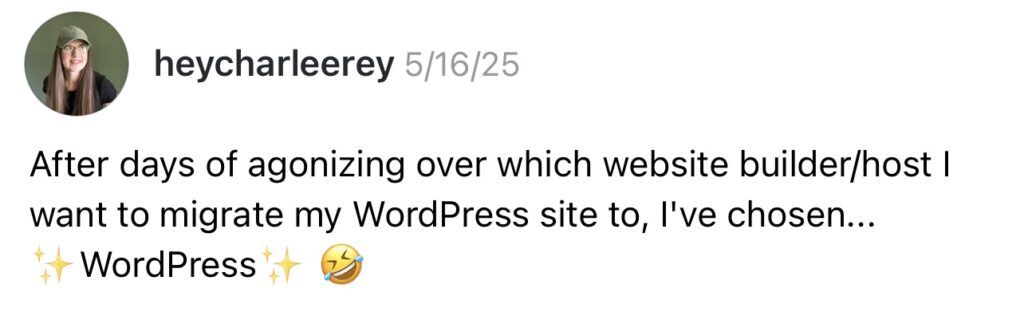
Here are the main reasons I’m still team WordPress in 2026.
Price point
WordPress is often a better option if you’re trying to be budget-conscious. That’s because with WordPress, you pick your own hosting provider – such as Bluehost, Siteground, BigScoots, etc.
This means you can shop around and choose a provider that fits both your budget and needs. When your website is new, you don’t need all the bells and whistles, and can likely get by with a simple, bare-bones hosting package. As of May 2026, I pay just $10.95/month for my website hosting through BigScoots.
With Showit or Squarespace, you’re looking at a MINIMUM of ~$25 per month to run your website unless you pay for an entire year up front and get an annual discount.
If you’re in the beginning stages of business, you may not want or need to spend this much. $25 may not seem like a lot, but all of those “small” monthly subscription costs ADD UP when you’re just getting started, trust me.
Content management
If you’re planning to start a blog for your business, WordPress’s built-in content management system is *chef’s kiss*.
There’s a reason WordPress is so widely regarded when it comes to blogging – the backend is specifically designed and built for managing large amounts of content. And you can install plugins that give you access to even more features.
Showit integrates with WordPress for blogging, but there’s a catch: you have to pay extra. Yes, you have to pay extra JUST TO HAVE A BLOG on your website.
The most basic plan ($27/mo) only includes access to Showit’s website builder. You’ll need to sign up for the next tier ($34/mo) if you want to blog with Showit.
As far as Squarespace’s blog functionality goes, it’s… okay. It’s easy to use, and like I mentioned earlier, it’s cool that you have the ability to create multiple blogs. But the SEO features aren’t as great, things like blog categories aren’t as intuitive, and it’s just not as robust as the WordPress blog editor.
Level of control
With WordPress, you own everything. Your content, your data, and your site’s code. You can switch hosting providers without leaving WordPress, which means if you switch, the migration process is 1000x easier.
Say your hosting provider suddenly raises their prices or you have an issue with them for whatever reason. You can transfer your site to a new hosting provider without having to rebuild everything and redesign from scratch.
The thing about platforms like Showit and Squarespace is that if you eventually decide it’s not for you, it’s not so easy to move everything over to a new website platform.
You own all your content, yes, but the design of your website itself? Won’t necessarily be able to be exported.
If Showit or Squarespace raises their prices beyond your budget or the features no longer work for you, you’ll have to manually migrate a lot of things to get your website up and running on a new platform. It’s not always a clean or straightforward process and can cause a lot of headaches.
WordPress Cons: It Requires More Tech Setup & Knowledge
Okay, so, I’ve just been singing the praises of WordPress, but I’ll be super real with you:
As much as I love WordPress, it’s really not that beginner-friendly. Especially not compared to Showit or Squarespace.
Don’t get me wrong: It’s not impossible to learn (I learned as a literal 17-year-old in my childhood bedroom!), but there’s definitely a learning curve to the platform.
You have to:
- Choose your hosting provider and and set it up
- Install WordPress
- Pick, install, and customize a theme (or design from scratch, which I do NOT recommend)
- Figure out which plugins you need, and set them up
- Keep on top of updates and deal with the occasional compatibility issue with themes/plugins
- Handle your own site security and backups (or pay for a host that handles it for you)
If you’re someone who breaks into a cold sweat at the first sign of tech trouble, WordPress might not be right for you.
And if you’re someone who knows you don’t really want to spend much time in the backend of your website, also probably not right for you.
But if you’re willing to watch some tutorials and take your time with it, the learning curve with WordPress really isn’t as steep as some people make it out to be. Once you get past the initial setup, using WordPress as a business owner can actually be pretty straightforward and intuitive.
When WordPress Is Better Than Showit or Squarespace (& When It Isn’t)
I’m not going to sit here and try to sell you on WordPress as the ultimate end-all be-all for all business owners because, like I just said, it simply… isn’t.
The “best” platform is the one you’ll actually use, and I’d be really shitty if I tried to push a platform that just isn’t gonna work for you.
I firmly believe that WordPress is one of those things that you’re either gonna LOVE or you’re gonna HATE.
WordPress might be right for you if you:
- Are on a tight budget and need to keep monthly costs low
- Plan to blog from the start or create a lot of content over time
- Want to have the option to customize literally anything about your site and its functionality
- Want robust ecommerce features on your site
- Don’t want to have to worry about your website platform shutting down (since you can always move hosting providers)
- Are comfortable with a learning curve OR willing to hire help
WordPress probably ISN’T right for you if you:
- Want to get something up and running FAST without technical headaches
- Are a visual creative and want pixel-precise control of the aesthetics of your site
- Have no interest in learning anything about how websites work on the backend
- Just need a basic website and don’t plan to add new content regularly
- Would rather pay more for a fully managed, hands-off experience
So… Is WordPress Still a Good Website Builder in 2026?
100% YES, and I will die on this hill.
WordPress was the right choice for me personally because it allowed me to get my website up and running quickly and affordably.
Since I’ve been building and tinkering with websites since I was in high school (almost a decade ago), I’m used to the backend of WordPress at this point. It’s really not as scary as some make it seem, and I say that as someone who really isn’t all that tech-y.
Would I recommend it over Showit or Squarespace for every situation? No. But it’s still a great website builder despite the rise of its shinier competitors.
Ready to Get Started With WordPress?
Your first step is choosing your hosting provider. My favorite is BigScoots because you have both monthly and annual payment options (some hosting providers only offer annual plans).
After that, my biggest piece of advice is to start with a pre-built theme rather than trying to design from scratch. Seriously, just trust me on this. It’ll save you from literal HOURS of frustration and decision fatigue.
I personally use and love Pix & Hue for their insanely affordable, gorgeous themes. This website was built using the Gwyneth Jane theme, but you can check out all of their available themes here.